 ClickMaster
What You Click is What You Should Get
This extension offers a novel line of defense centered on protecting every single click happening in the web browser, to completely preserve the security and privacy of our customers from the widespread adoption of misleading links.
Why Do I Need This?
Web pages have evolved into complex and dynamic applications, with links that are often opaque and misleading. Click-related threats are very common nowadays, and can lead users to dangerous situations and unwanted tracking. For instance, during the current COVID-19 circumstances, a vulnerability of the U.S. Department of Health and Human Services permitted one of these attacks, and malicious actors were able to steal information such as email credentials, credit card info, cryptocurrency wallets, and browsing data. Moreover, in the last year, millions of users were targeted with similar campaigns abusing this type of click-related vulnerabilities in companies like Adobe, Google, Microsoft or Cisco.

Chrome / Brave
Download the ClickMaster archive and unzip it. Open Chrome/Brave, navigate to chrome://extensions/ (or brave://extensions/) and enable developer mode. Click "Load unpacked" and select the unpacked archive.
Firefox
Click the Firefox link above and it should add the extension directly to Firefox.
ClickMaster Approach
It is able to block any unexpected click-related access from trackers and harmfull domains even before the browser actually contacts them. To do so it evaluates every single hyperlink and redirection that occurs agains a list of more than 10 million domains specially crafted for this mission.
How It Works
ClickMaster evaluates all hyperlinks (including links layered within iframes) and displays a tooltip informing about all entities that will be supposedly involved if the user decides to perform a click.
Information is presented using specific color codes in order raise awareness on the following points:
- Domain or Entity behind the link is a tracker,
- Domain or Entity behind the link is unknown,
- Domain or Entity behind the link is local or known,
- Connection between current Web site and link destination is unencrypted,
- Connection between current Web site and link destination is encrypted,
Here's a few examples on how to leverage these capabilities:
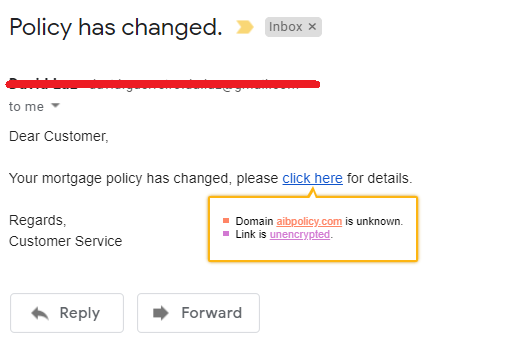
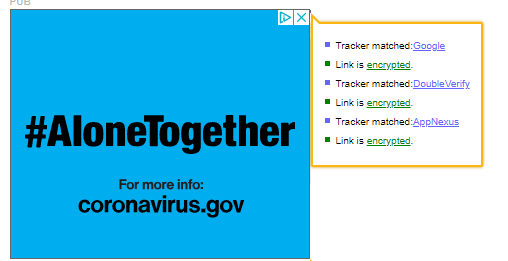
What You Click is What You Should Get: Following the tooltip logic if the user engages in clicking an hyperlink and the policies are violated during the navigation process, the click is considered blocked and a banner is displayed in the top of the screen informing about the unexpected behaviour.

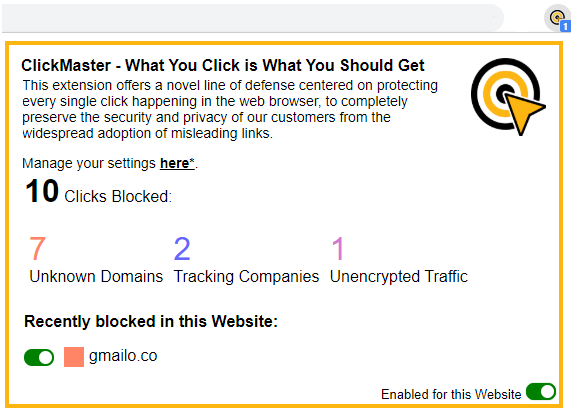
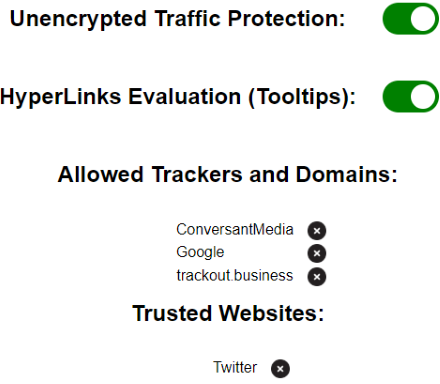
The summary of all clicks blocked can also be visualized in the extension popup window where an options menu is also available.
FAQ
Q1: Who can I contact if I have questions about the extension?
A1: If you have any questions you can email David.Silva@nortonlifelock.com or Iskander.Sanchez@nortonlifelock.com
Q2: Where can I learn more about the work behind this extension?
A2: Research has shown us that what we click is not always what we get.